A filter cannot do this. It is arithmetic, not opinion.
A camcorder sampled the world 50 times a second in PAL, 59.94 in NTSC. Every field is a separate moment in time. That temporal density is why camcorder footage feels immediate rather than cinematic.
Drop in 24p footage and you have 24 moments. The other 26 do not exist anywhere in the file. They cannot be filtered into being — they have to be synthesised: estimate the motion between the two nearest source frames, then render the field at the instant it should have been sampled.
Every VHS plugin skips this. They draw scanlines onto 24 frames. On a static shot you cannot tell. On a pan it is obviously wrong — the comb teeth sit still between fields instead of stepping forward in time.
SOURCEFIELD SCHEDULESYNTH
25p → PAL 50i50%Every other field lands on a real frame
24p → PAL 50i96%24 and 50 share no useful common factor
Dropframe shows you this figure per file before you start, so a long job announces its cost rather than surprising you forty minutes in.
The app
Choose the camera by looking, not guessing
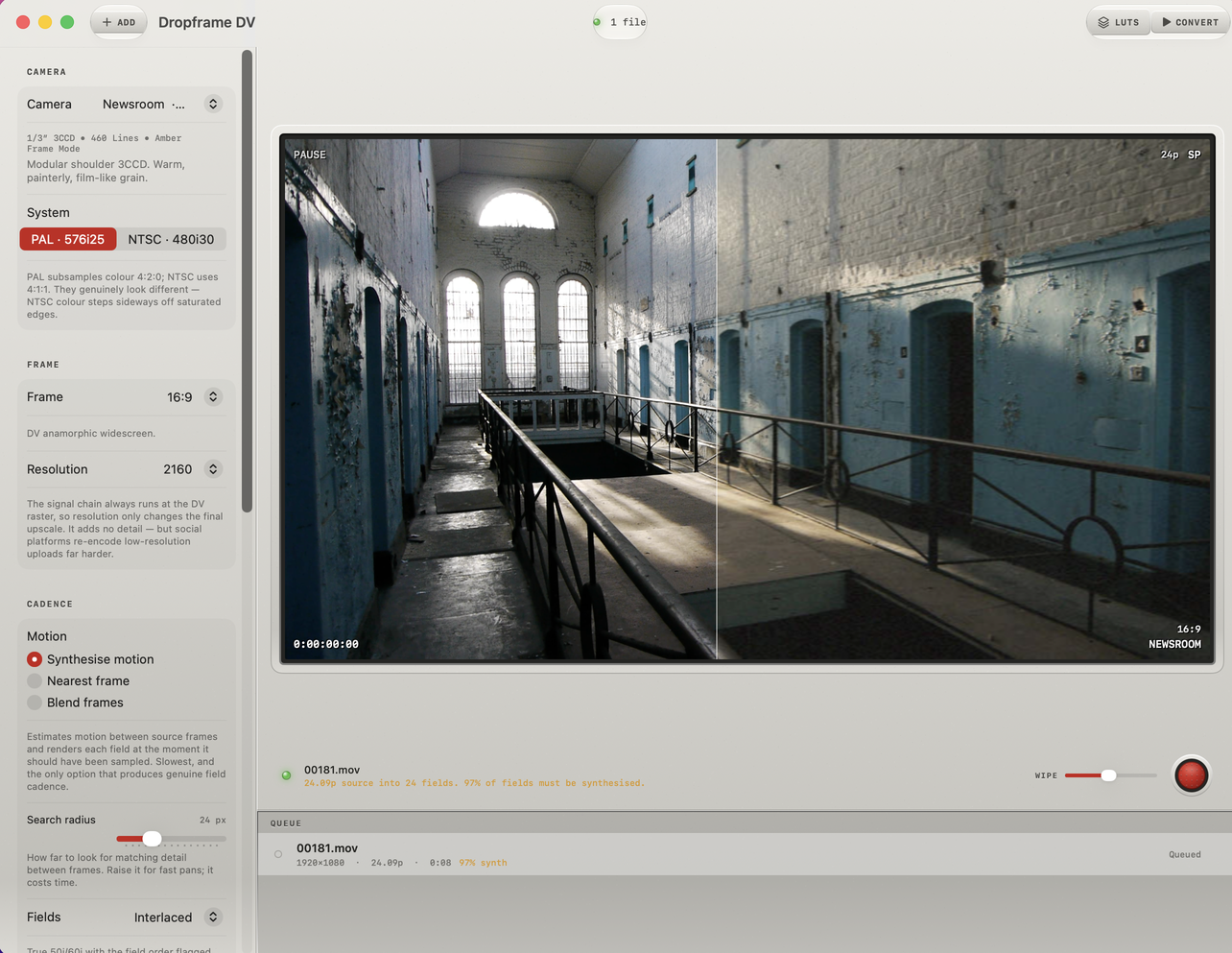
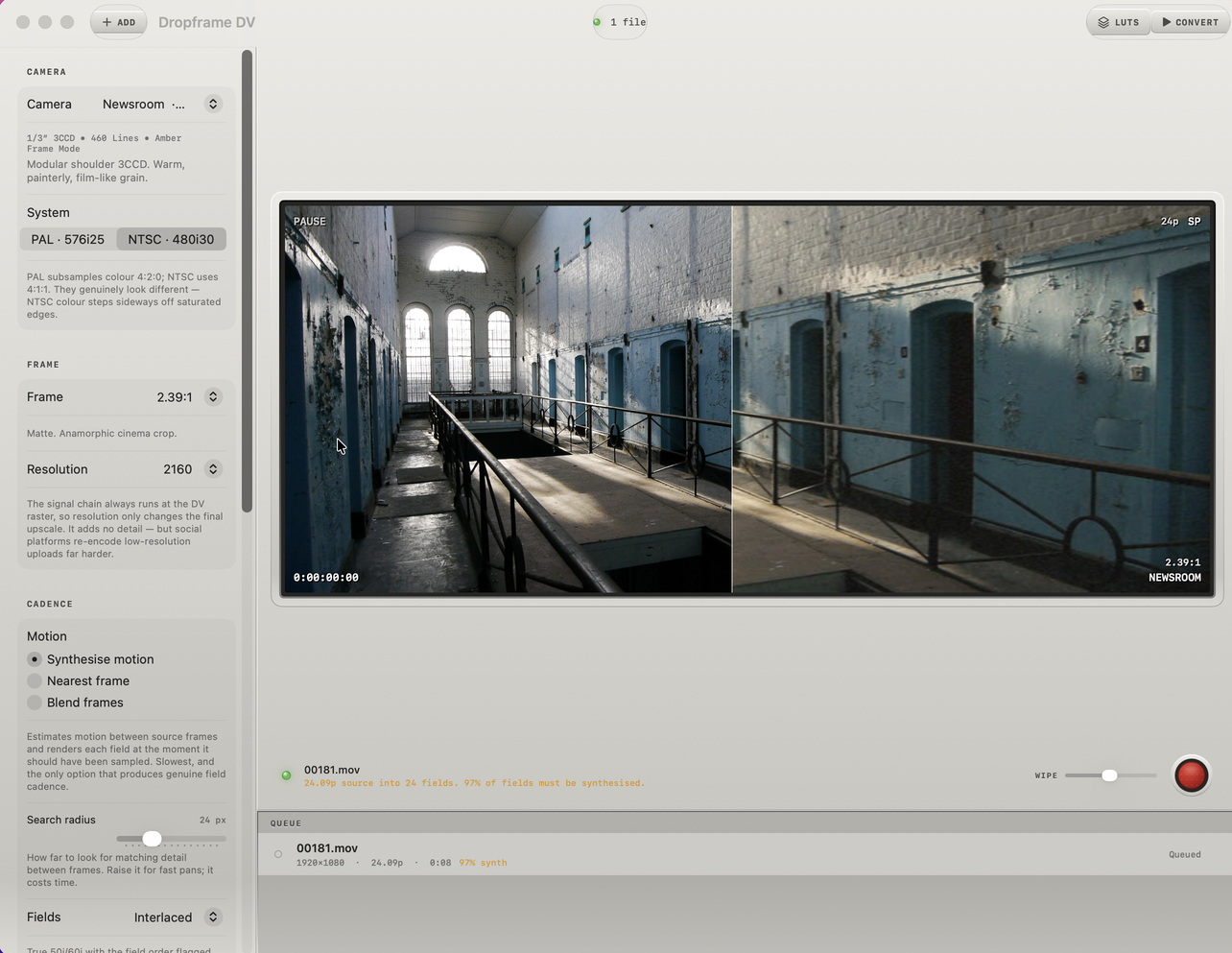
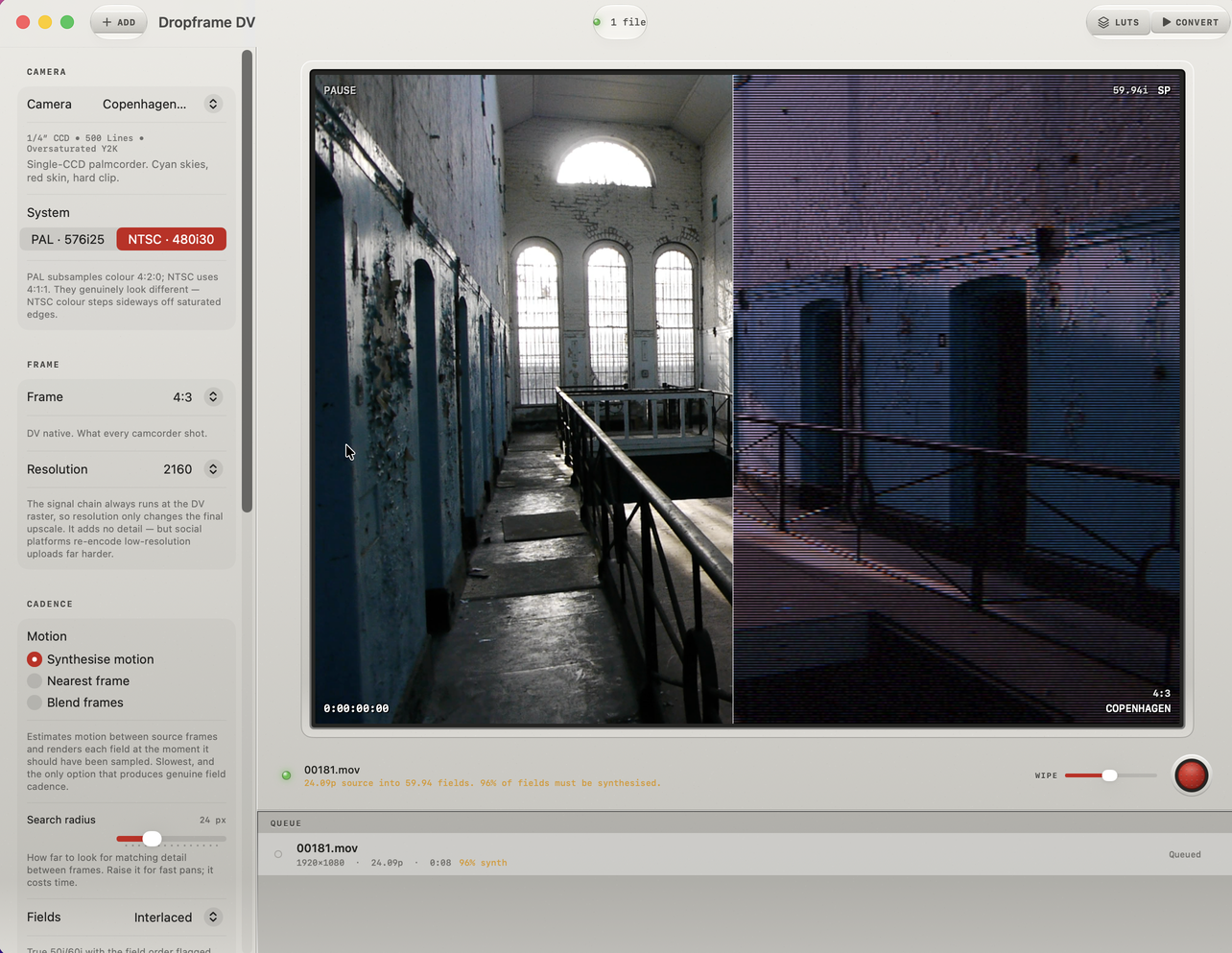
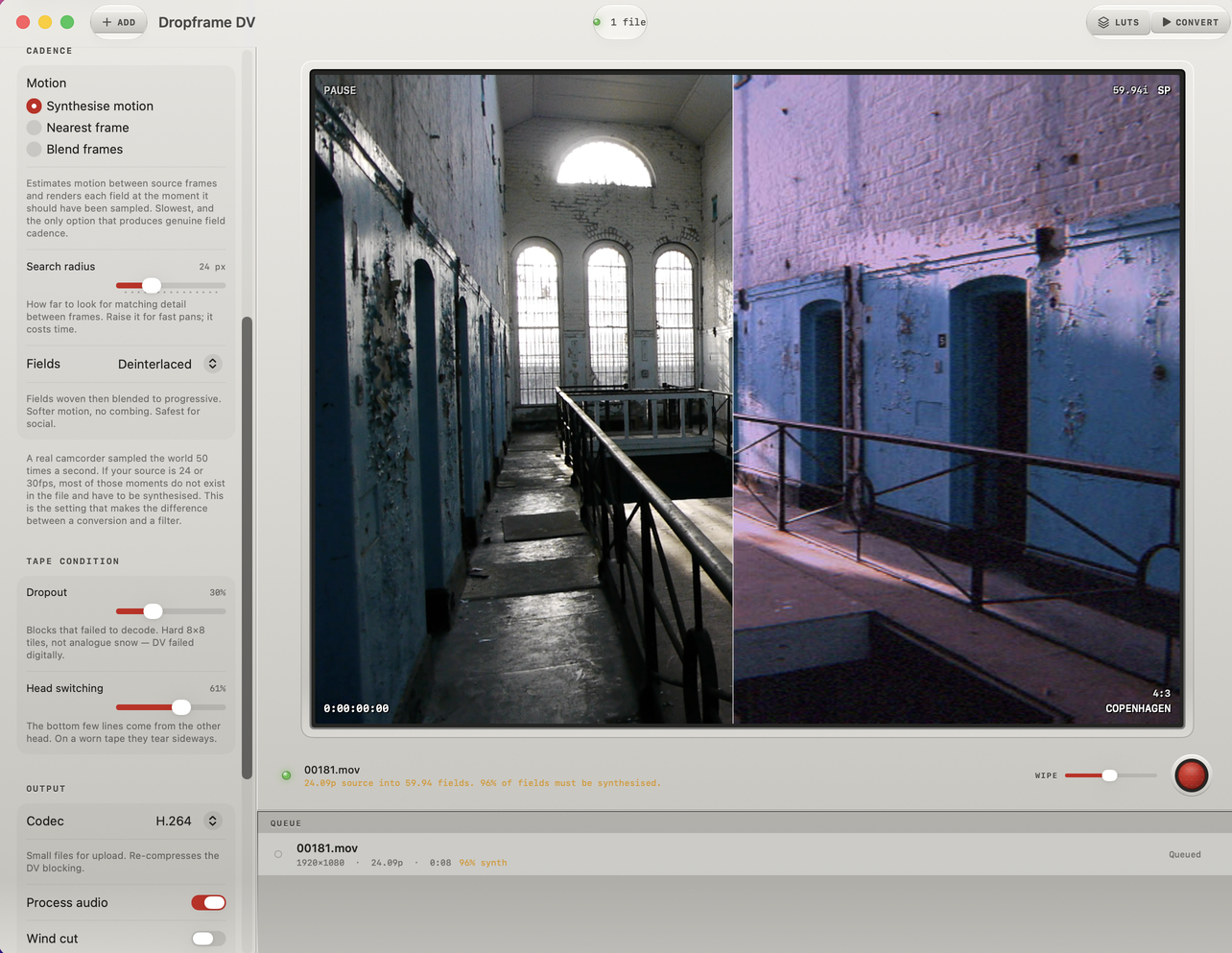
A real frame from your own footage, wiped between source and result. Drag the divider. Every reading on the monitor is live state — no decorative gauges.
Newsroom, 16:9. Source left, DV right — the wipe sits wherever you drag it.2.39:1 matte. The signal chain still runs at the DV raster underneath, so the artifacts keep their correct scale.Copenhagen in NTSC. Note the field structure — that is genuine interlacing, not a scanline overlay.Tape condition. Dropout as hard 8×8 decode failures; head switching tearing the bottom lines.
For editors
It lands in your timeline, not in a converter folder
ProRes out
422, 422 HQ and 4444. Cuts natively in Final Cut, Premiere and Resolve. H.264 and HEVC are offered but second class: re-encoding DCT artifacts through another DCT codec turns deliberate blocking into accidental mush.
True field flag
The file carries bottom-field-first in its metadata. Without it your editor reads genuine combing as damage.
LUT export
Writes all eight cameras as .cube files so a colourist can grade with the look inside their own timeline. A LUT carries the matrix, gamma, knee and saturation — it cannot carry chroma subsampling, DCT blocking, interlacing or smear, because those depend on neighbouring pixels and on time. The palette travels; the app does the rest.
Batch queue
Drag files or whole folders. Runs sequentially — each job already saturates the GPU, so running two makes both slower.
Any source format
Anything your Mac can play. Phone footage, drone, DSLR, mirrorless, screen recordings, old DV captures, GoPro. Mixed frame rates in one batch are fine.
Beyond the phone
What offline buys that realtime cannot
Motion synthesis
Block matching with a confidence fallback. Where matching is unreliable it degrades to a cross-dissolve rather than inventing geometry — soft is recoverable, a warped face is not.
Lanczos resampling
The phone box-filters because it has twenty milliseconds. Going 4K to 720×576 that aliases badly on brickwork and foliage, and the aliasing then freezes into the DCT blocks where nothing can remove it.
Tape condition
Dropout as hard 8×8 blocks that failed to decode, held for a couple of fields and clustered along a scratch. Not analogue snow — DV failed digitally. Plus head-switching tear at the frame bottom.
Before / after
A wipe between source and result on a real frame from your own footage, so you choose the camera by looking rather than guessing.
Cameras
The same eight, identical to the iPhone app
Shared code, not a port. The colour matrices, the chroma subsampling, the DCT quantisation and the interlacing are the same files on both platforms — so the same camera name gives the same look whether you shot it or converted it.
MENUCAMERAEXIT
SD / CCD / 1995–2001
BOARDWALK19951/3″ 3CCD • 520 Lines • Hard Contrast
VERITE20021/3″ 3CCD • 530 Lines • Cine Gamma • 24p
HD / 2004–2006
UPLINK20041/3″ 3CCD • 1080i • Cool Zeiss • 60i
LASTLIGHT20061/3″ 3CCD • 1080p • Cine Curve • 24p
Together
Shoot on the phone. Finish on the Mac.
The iPhone app is acquisition — a camcorder you carry. This is conversion and finishing, for everything you already shot on something else. Buy either. Most people end up with both, and the eight cameras behave identically across them.
Apple silicon or Intel with Metal support. Conversion is GPU-bound — an Apple silicon Mac is substantially faster at motion synthesis. Everything runs on your device: no accounts, no uploads, no network.